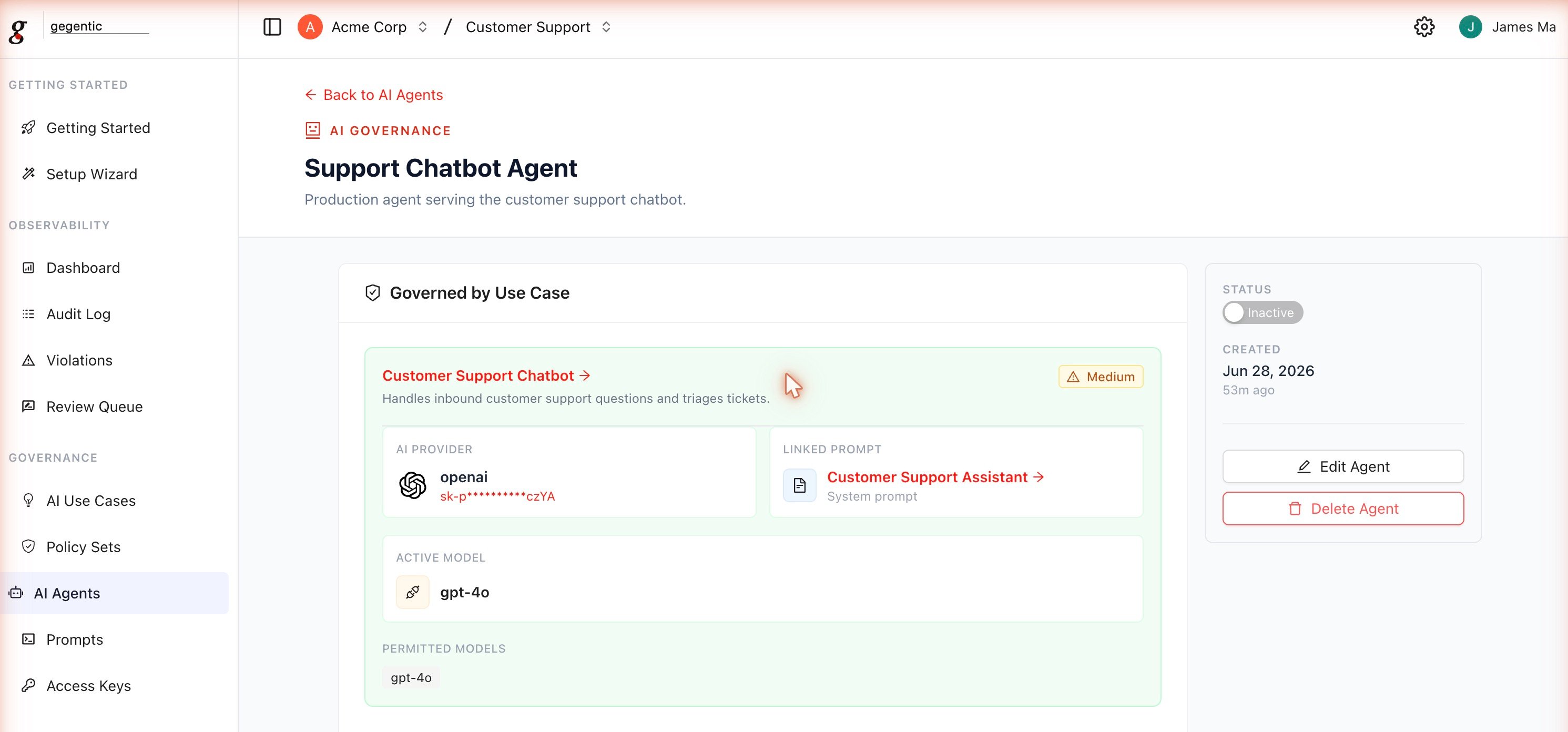
An AI Agent represents a specific application or feature that calls an LLM. Agents inherit their provider, permitted models, and default prompt from the AI Use Case they’re created from, so you can’t stand up an agent against an unapproved provider or model.

Fields

  • AI Agent Name (required, minimum 2 characters)
  • Description (optional)
  • Approved Use Case (required) — provider, models, and prompt are inherited from the selected use case
  • Model (optional override) — choose a different model from the use case’s permitted list
  • Prompt (optional override)
  • Policy Set (optional) — the Policy Set enforced on this agent’s traffic
Swapping the model on an existing agent requires a short Reason for Change, which is recorded in the agent’s activity log.

Status

Agents can be toggled Active or Inactive. Inactive agents reject requests even if a valid Access Key is scoped to them.

How Access Keys relate to Agents

Access Keys are scoped to either all agents in a project or a specific subset. A client application authenticates with an Access Key, and Gegentic resolves which agent (and therefore which provider, model, and Policy Set) the request should be routed through based on that scope.