
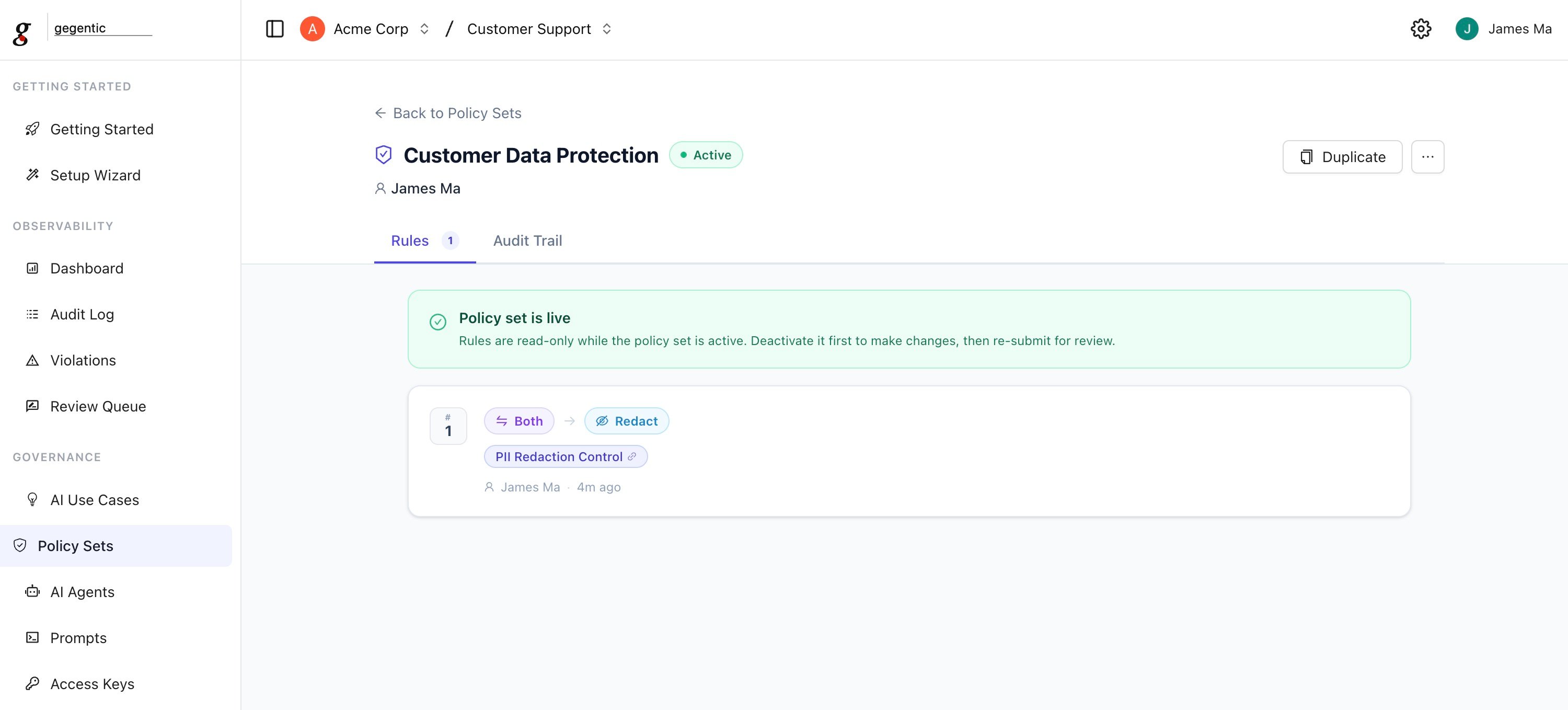
An active Policy Set with one Rule: redact on PII Redaction Control match, applied to both input and output
Creating a Policy Set
When creating a Policy Set, you can set:- Policy Set Name (required, 3–128 characters)
- Description (optional) — what AI workflows it governs and what risks it addresses
- Regulation (optional) — tag it against a compliance framework: GDPR, HIPAA, SOC 2, ISO 27001, PCI DSS, CCPA, NIST AI RMF, EU AI Act, DORA, FedRAMP, PIPEDA, LGPD, MAS TRM, or APRA CPS 234
- Owner (optional) — the email or team responsible for the Policy Set
- Data Classification (optional)
- Scheduled Review (optional) — a date to revisit the Policy Set
Rules
Each Policy Set contains one or more Rules. A Rule defines:- Controls — one or more Controls the rule enforces
- Scope — whether it applies to
input,output, orboth - Action — what happens on a match:
block,flag,redact, orhuman_review - Ordering — the sequence rules are evaluated in
human_review routes the request to the Review Queue for a human decision instead of an automatic block or pass.
Lifecycle
A Policy Set moves through these statuses:- Draft — fully editable. Can be submitted for review or deleted.
- Pending Review — awaiting an approver. The creator can cancel the review (returns to Draft); an approver can approve (→ Active) or send it back with a reason (→ Draft).
- Active — enforced on live traffic. Can be deactivated (→ Inactive). Active Policy Sets cannot be deleted directly — deactivate first.
- Inactive — not enforced, but retained. Can be reactivated or archived.
- Archived — terminal state, cannot be reactivated. Kept for audit history.
How enforcement works
Each AI Agent can be assigned a Policy Set. Every request that agent handles is evaluated against the Active Policy Set’s Rules, in order, against the configured scope (input, output, or both). If a Rule matches:blockstops the request and returns an errorflaglets the request through but records the match for review in the Audit Logredactremoves or masks the matched content before continuinghuman_reviewholds the request in the Review Queue until a reviewer approves or rejects it